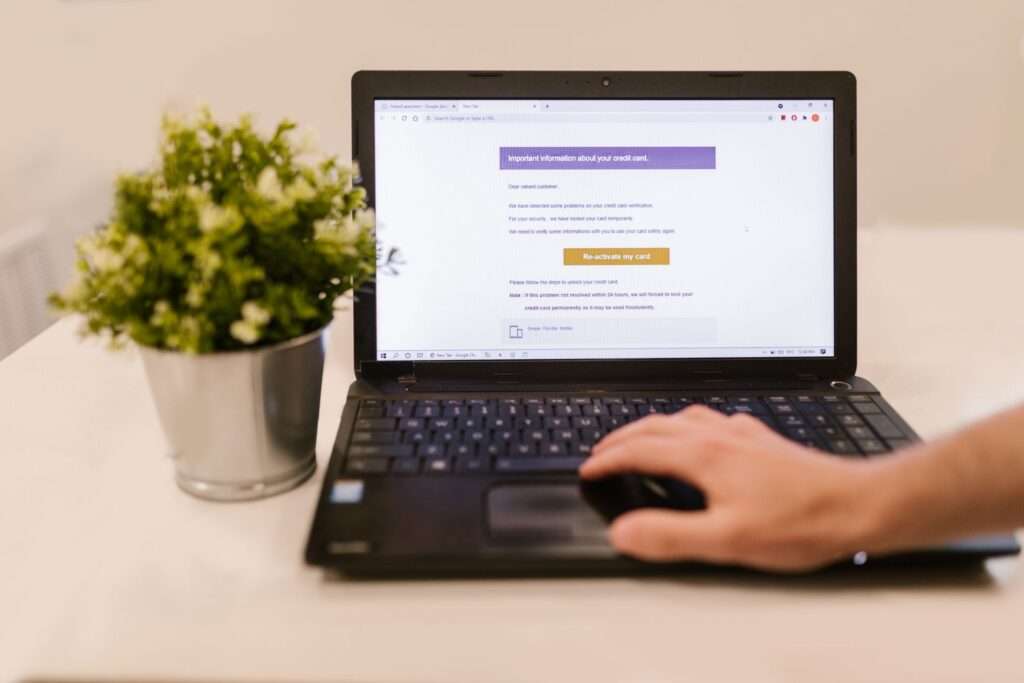


Cyber criminals continually evolve their tactics to steal or damage sensitive data. For a long time, email attachments felt safer than links: don’t click a link and you were mostly protected. That era is over.
Today attackers hide malware in everyday email attachments to compromise systems or steal credentials. Why attachments? Because people and filters still miss them. Below is a concise look at how these attacks work, common file types to watch for, and practical defenses that lower your risk.
Why attackers still use attachments
Email remains the most common initial vector for compromise because it’s inexpensive, scalable, and targets humans rather than hardened systems. Attachments are attractive because attackers can disguise malicious actions behind what appears to be a normal document. While some file types like .exe were once obvious red flags, attackers now weaponize formats your organization routinely accepts. AI makes this worse by improving grammar, tone and impersonation, increasing the likelihood a recipient will open a file.
Common malicious attachment types
– PDFs: Widely trusted for invoices, contracts and forms, PDFs often contain embedded links, scripts, or QR codes that lead to credential theft or additional malware.
– Microsoft Office files: Macro-enabled documents (.docm, .xlsm) remain popular for delivering malware, even as macro defenses improve.
– Archive files: Compressed files (zip, rar) can hide malicious payloads and may be password-protected to prevent automated scanning.
– “Odd” formats: Shortcut files that execute commands, OneNote files, and other less-common formats can slip past extension-based controls and appear harmless.
Red flags users should watch for
You don’t need to be an analyst to spot many malicious attachments — teach staff a few reliable instincts:
– Unexpected attachment: If you weren’t expecting a file, treat it with suspicion, even when it appears to come from someone you know.
– Prompts to enable features: Messages asking you to “Enable editing,” “Enable content,” or “Enable macros” to view a document are a major warning sign.
– Urgent or pushy language: Pressure to act immediately (“Pay now,” “Urgent invoice,” “Review payroll changes”) is common in scams.
– Poor grammar or generic greetings: Legitimate vendors and colleagues typically use personal salutations and professional language.
– Spoofed addresses: Attackers can make emails look like they come from a trusted sender; verify suspicious requests through a separate channel.
Effective controls to reduce attachment risk
Layered defenses that cover people, platforms and post-delivery behavior work best:
– Don’t open unexpected attachments: If you didn’t expect a file, verify with the sender before opening.
– Harden the email platform: Use email authentication (SPF, DKIM, DMARC), block or quarantine high-risk file types, and apply content scanning.
– Reduce the attack surface: Require multi-factor authentication (MFA), enforce least-privilege access, and restrict who can send or receive certain file types.
– Train staff: Regular, realistic training helps users recognize modern attack patterns and report suspicious items.
– Incident response plan: Have a clear IRP that outlines immediate actions, containment, and recovery steps for attachment-related incidents.
– Verify extensions and update software: Inspect full file extensions for anomalies (e.g., .pdf.exe) and keep systems patched to prevent exploitation.
Protecting leadership teams and the business
Malicious attachments are more than an IT nuisance — a single click can cause downtime, financial loss and regulatory exposure. If you’d like expert help, Cytranet can act as a Fractional CIO and cybersecurity partner. We align organizations with hundreds of industry best practices to reduce high-risk exposures.
Request a consultation to discuss how Cytranet can help harden your email defenses and incident readiness.