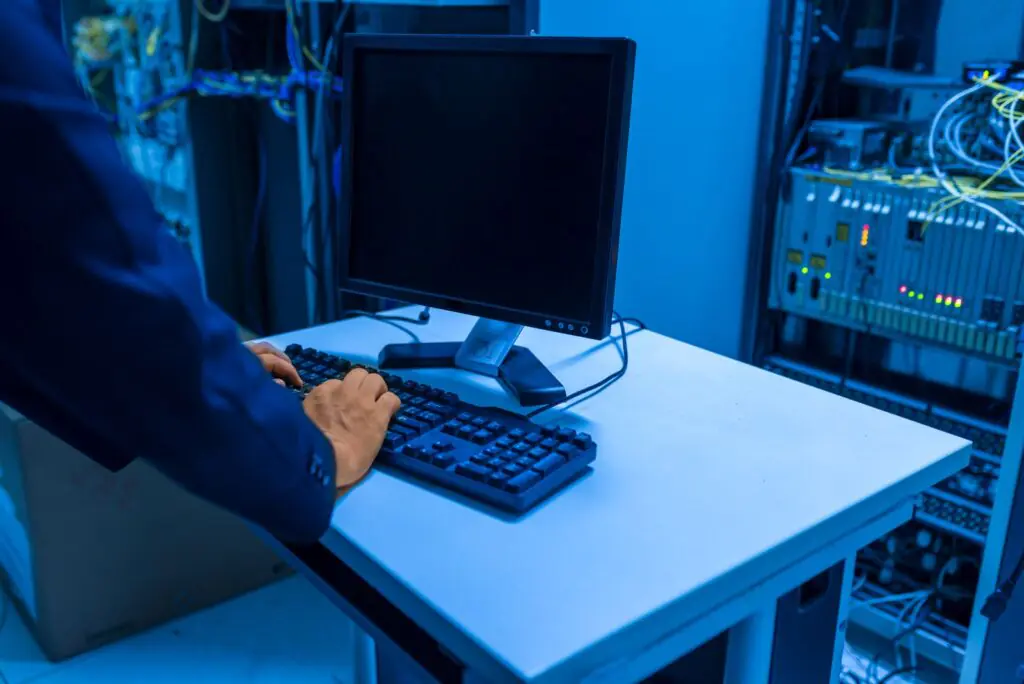
A new employee sits down on day one and cannot sign in to email. A warehouse loses its wireless signal for twenty minutes and handheld scanners stop talking to the inventory system. A security alert fires overnight and nobody notices until the morning. None of these moments make headlines, yet each one quietly costs a business time, money, and customer trust. They are also exactly where most technology careers begin.
At Cytranet, we see this reality from the network side every day. As a licensed telecommunications carrier based in Las Vegas that serves businesses, nonprofits, and government customers across Nevada, Arizona, California, and the broader Southwest, we deliver the connectivity and communications services that everyday IT work depends on. The people who answer help desk tickets, configure access, and troubleshoot slow connections are the same people who, with the right experience, grow into the network engineers, cloud architects, security analysts, and technology leaders that organizations rely on to plan for the future.
This article looks at that journey from two angles: what aspiring and early-career IT professionals should focus on as they move from reactive support to strategic work, and what business leaders can learn from the everyday tickets their teams handle about the health of their infrastructure.
Every Help Desk Ticket Tells a Business Story
Strong IT work starts with understanding the business moment at risk, not just the technical symptom. A password reset is never really about a password. It is about a nurse waiting to open a patient record, a finance team locked out of month-end reports, or a field crew that cannot sync job updates from a remote site.
The most valuable support professionals learn to look past the individual fix and notice patterns. Those patterns often point directly at infrastructure decisions:
- Repeated login failures frequently reveal gaps in identity management, user training, or access-control policies rather than isolated user mistakes.
- Recurring slow or dropped wireless reports usually signal coverage, capacity, or interference problems that affect scanning, dispatch, point-of-sale, and production workflows.
- Frequent application access failures expose permission structures that delay invoices, case files, work orders, and records.
- Choppy calls and dropped voice sessions often trace back to insufficient bandwidth, poor traffic prioritization, or an aging internet connection rather than the phones themselves.
- Stalled onboarding tasks slow down billing, casework, and jobsite coordination, and they create a poor first impression for new hires.
When a support technician documents the root cause instead of simply closing the ticket, that record becomes evidence. It helps leadership see where to invest, whether that means upgrading to dedicated fiber internet, redesigning a wireless network, or modernizing a phone system.
“The best early IT experience teaches you to connect a user’s problem to the workflow behind it, and then to document the fix so the problem does not keep coming back,” said Doug Roberts, Manager and CTO of Cytranet. “When we sit down with a customer to redesign their connectivity, the most useful information we get is almost always from the person who has been fielding the complaints. The help desk sees the truth about a network before anyone else does.”
Building the Foundation: Education That Mirrors Real IT Work
Formal learning matters, but it matters most when it connects concepts to the kind of hands-on problems technicians actually face. Whether someone is comparing community college programs, university degrees, industry certifications, or intensive bootcamps, the best options share a few traits.
What to Look for in an IT Program
- Meaningful lab time with real equipment, including switches, routers, wireless access points, firewalls, and virtualization platforms.
- Networking fundamentals such as IP addressing, subnetting, VLANs, routing, DNS, DHCP, and quality of service, because nearly every application problem eventually touches the network.
- Exposure to cloud productivity suites and identity platforms, since user accounts, email, file sharing, and multifactor authentication generate a large share of day-to-day support work.
- Voice and unified communications basics, including how VoIP, hosted PBX, and SIP trunking work and why they depend on stable, well-prioritized bandwidth.
- Cybersecurity fundamentals including endpoint protection, backups, patching, and phishing awareness.
- Ticketing discipline and written communication, because a fix that is not documented is a fix that will have to be rediscovered.
Look for practice that feels like actual work: resolving a simulated wireless outage in a warehouse, processing a healthcare access request with proper approvals, or documenting a cloud email migration for a professional services firm.
Matching Learning Paths to the Problems Businesses Need Solved
The right education path depends less on the credential printed on a resume and more on the operational problems a person wants to solve. The comparison below shows how different areas of study map to business outcomes and career directions.
| Learning Focus | Business Impact | Career Direction |
|---|---|---|
| Help desk fundamentals | Faster onboarding, fewer unresolved tickets, and reliable first-day access | Support analyst, service desk lead |
| Networking and wireless | More reliable Wi-Fi, cleaner site-to-site connectivity, and fewer scanning or dispatch delays | Network technician, network engineer |
| Voice and unified communications | Clear calls, dependable call routing, and smooth remote and hybrid collaboration | Voice engineer, UC administrator |
| Cloud and productivity platforms | Smoother migrations and less disruption during email or file system changes | Cloud support, systems administrator |
| Cybersecurity basics | Stronger multifactor authentication, endpoint, backup, and evidence habits | Security analyst, compliance support |
| Documentation and communication | Cleaner audit records, smoother handoffs, and fewer repeat issues | Project coordinator, IT manager |
Whatever path someone chooses, the goal should be to produce useful artifacts: troubleshooting notes, checklists, network diagrams, user instructions, and handoff documents that another person could follow without guesswork.
Security Readiness Is Built on Habits, Not Just Tools
Cybersecurity training programs can build valuable lab experience, but real readiness comes from calm triage, clear evidence, and consistent follow-through. Organizations of every size continue to report shortages of qualified security talent, which makes practical, disciplined security habits one of the most marketable skills a technology professional can develop.
- Practice phishing response: Learn to review reported messages, preserve the details, and coach users without blame so they keep reporting suspicious activity.
- Understand layered controls: Multifactor authentication, endpoint protection, backups, network segmentation, and vulnerability remediation work together; no single control is enough on its own.
- Read monitoring alerts carefully: Security information and event management systems generate a lot of noise. Effective analysts prioritize, document, and escalate with discipline.
- Connect security to compliance: Healthcare, finance, government, and education customers all need evidence that controls are in place and working.
- Remember the network layer: Private data transport, segmented guest and corporate wireless, and redundant connectivity all reduce exposure and keep critical systems available when something goes wrong.
From Support to Systems: How Careers Grow Into Strategy
According to the U.S. Bureau of Labor Statistics, employment in computer and information technology occupations is projected to grow much faster than the average for all occupations from 2024 to 2034, with roughly 317,700 openings expected each year. Demand alone does not guarantee advancement, however. Growth depends on applied experience, clear communication, and the ability to connect technical work to budgets, roadmaps, vendor coordination, and measurable outcomes.
Systems work naturally grows into business thinking. An application rollout needs clean permissions. A server refresh needs coordination with every department that depends on it. A move into a colocation facility or data center requires power, cooling, cross-connect, and bandwidth planning. A phone system migration requires number porting, call-flow design, and user training. Each of these projects rewards the professional who can see both the technical details and the business impact.
Key Capability Areas for Advancement
- Network and connectivity design: Understanding the difference between shared broadband, dedicated fiber, fixed wireless, and satellite options, and when each makes sense.
- Cloud operations: Managing workloads, identity, and data across hosted platforms while keeping latency and bandwidth in check.
- Voice and collaboration: Designing business VoIP, hosted PBX, and unified communications that stay reliable for office, remote, and mobile users.
- Security readiness: Turning policies into daily practice and documentation.
- Project planning and vendor management: Coordinating carriers, contractors, and internal stakeholders so projects land on time and on budget.
Turning Experience Into Career Momentum
Moving from the help desk into systems, networking, or cybersecurity takes discipline, repetition, and visible proof of skill. Here are practical ways early-career professionals can build that proof:
- Build a ticket portfolio. Keep sanitized notes that show the symptom, root cause, fix, and prevention steps for your most interesting cases.
- Document your lab work. Diagram cloud, network, wireless, and endpoint scenarios so a hiring manager or supervisor can review how you think.
- Practice proactive habits. Proactive IT management means preventing recurring issues through documented standards, monitoring, root-cause analysis, and continuous improvement.
- Own project handoffs. Build migration checklists, incident summaries, and user training materials with clear ownership and next steps.
- Track business impact. Connect your work to faster support, fewer outages, cleaner handoffs, or stronger security controls, and be ready to explain those results in plain language.
- Learn the infrastructure underneath. Spend time understanding how circuits, carriers, routing, and redundancy work. Professionals who understand connectivity can solve problems that others can only escalate.
What Business Leaders Can Learn From Their Help Desk
For owners and managers, the lesson runs in the other direction. If your support team keeps fielding the same complaints about slow connections, dropped calls, or unreliable Wi-Fi, those tickets are a roadmap for infrastructure investment. Fixing the root cause frees your IT staff to focus on strategic projects instead of constant firefighting, and it gives them room to grow into the higher-value roles described above.
That is where Cytranet comes in. We are a business-only carrier, which means our network, support, and service design are built around organizations rather than residential households. We work alongside internal IT teams and outside IT providers to eliminate the infrastructure problems that generate repeat tickets. Our services include:
- Dedicated fiber internet across a wide range of speeds, with symmetrical performance for cloud applications, video, and voice.
- Fixed wireless and microwave internet for locations where fiber is not yet available or where a diverse backup path is needed.
- Business VoIP, hosted PBX, unified communications, and SIP trunking for clear, dependable calling across office, remote, and mobile users.
- Private data transport to securely connect offices, warehouses, and data centers.
- Colocation and data center hosting for critical servers and equipment.
- Managed Wi-Fi designed for coverage, capacity, and segmented guest and corporate access.
- Satellite internet installation for remote sites and temporary locations.
- Two-way radio, body-worn camera, dispatch, and GPS tracking solutions for field teams, public safety, and operations staff.
- Technology advisory and procurement services to help organizations select and source the right platforms.
Organizations that are also wrestling with staffing limits may find our related article, 7 Signs You’ve Outgrown Your Internal IT Team, a useful next read.
Frequently Asked Questions
Is the help desk still a good starting point for an IT career?
Yes. Help desk work exposes you to identity, networking, applications, hardware, and user communication all at once. Professionals who document root causes and look for patterns in their tickets build the foundation for systems, network, cloud, and security roles.
Do I need a college degree to work in IT?
Many employers value degrees and industry certifications, but hands-on experience and the ability to document and communicate your work carry significant weight. The best education path is the one that gives you real lab time and mirrors the problems businesses actually need solved.
Why should IT professionals learn about telecommunications and connectivity?
Nearly every application, phone call, and cloud service depends on the network underneath it. Professionals who understand circuits, bandwidth, routing, wireless design, and redundancy can diagnose problems faster and contribute to strategic infrastructure decisions.
How can a business reduce repeat IT support tickets?
Start by reviewing ticket history for patterns. Recurring connectivity, wireless, and call quality complaints often point to infrastructure that needs to be upgraded, such as moving to dedicated fiber, redesigning Wi-Fi, or modernizing the phone system.
Does Cytranet replace my internal IT team?
No. Cytranet provides the connectivity, voice, data transport, colocation, and wireless infrastructure your team depends on. We work alongside internal staff and outside IT providers so they can spend less time troubleshooting the network and more time on strategic work.
What areas does Cytranet serve?
Cytranet is headquartered in Las Vegas and serves business, nonprofit, and government customers throughout Nevada, Arizona, California, and the broader Southwest, with extended reach through carrier partnerships.
Give Your IT Team a Network They Don’t Have to Fight
The same issues that start a technology career, from delayed logins to dropped wireless connections, are the issues high-performing organizations prevent, document, and improve over time. When the infrastructure is right, your IT professionals can stop firefighting and start building.
If your team is spending too much time on connectivity, calling, or Wi-Fi problems, let’s talk. Call Cytranet at 702-846-5000, email info@cytranet.com, or contact us online to schedule a no-obligation infrastructure review.