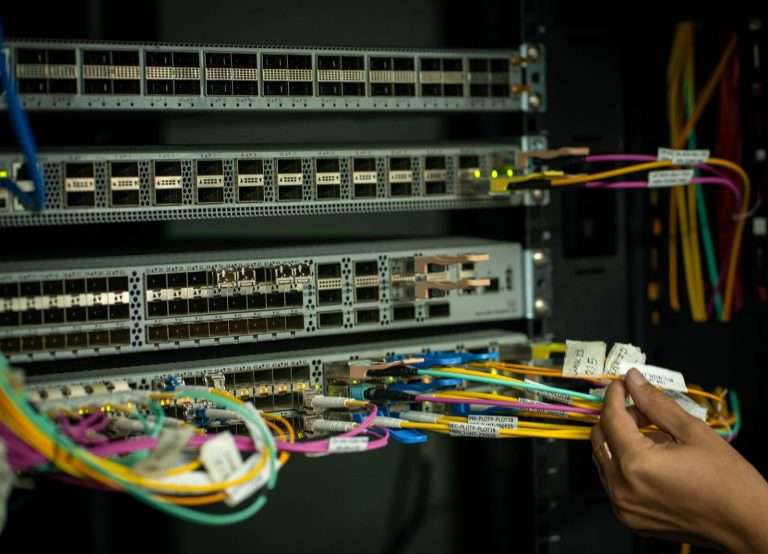
Not long ago, opening a call center meant buying a room full of hardware: telephony servers, gateways, a closet of switches, licensed software, and a dedicated technician to keep it all running. That model still exists, but for most organizations it is no longer the most practical way to serve customers by phone. Today, the same capabilities can be delivered as a cloud service, accessed through a browser or softphone and paid for as a predictable subscription. This is what the industry calls a SaaS (Software-as-a-Service) call center.
At Cytranet, we work with businesses, nonprofits, and government organizations across Nevada, Arizona, California, and the broader Southwest that are weighing exactly this decision. In this guide, we explain how a SaaS call center works, how it compares with an on-premises deployment, which features deserve the most attention, and how to plan an implementation that goes smoothly from the first test call to full production.
What Is a SaaS Call Center?
A SaaS call center is a cloud-hosted platform that lets an organization manage inbound and outbound customer conversations without installing most of the supporting hardware and software on its own premises. The provider hosts, secures, and maintains the platform. Agents and supervisors simply log in through a web browser, a desktop application, or a mobile app, and calls are carried over the internet using Voice over Internet Protocol (VoIP).
Because the core system lives in the provider’s infrastructure, software updates, capacity planning, and much of the routine maintenance happen behind the scenes. The organization stays focused on what matters most to its customers: call flows, staffing, service quality, and the information agents need to resolve issues quickly.
Typical capabilities of a SaaS call center include:
- Inbound and outbound call handling from a single workspace
- Automatic call distribution (ACD) and skills-based routing
- Interactive voice response (IVR) menus and self-service options
- Call recording and quality management
- Real-time dashboards and historical reporting
- CRM and help desk integrations
- Workforce management and scheduling tools
- Business texting and, on many platforms, email, chat, and video
On-Premises vs. SaaS: How the Two Models Compare
Both deployment models answer the phone and connect customers with agents. The differences show up in who owns the infrastructure, how quickly the system can change, and where the costs land.
The on-premises model
With an on-premises call center, the organization buys and operates its own servers, telephony equipment, licenses, and network infrastructure. That approach offers deep control over configuration and data location, and some organizations with strict internal requirements still prefer it. The trade-off is significant: capital expense up front, an ongoing need for skilled IT staff, responsibility for security patching and disaster recovery, and slower expansion, since every new site or large group of agents may require more hardware.
The SaaS model
A SaaS call center shifts most of that burden to the provider. Benefits commonly include:
- Lower upfront investment: Little or no server hardware to purchase.
- Predictable operating costs: Subscription pricing based on users, features, usage, or a combination.
- Faster scaling: Agents, queues, and locations can be added through an administrative portal.
- Built-in remote access: Agents can work from an office, a branch, or home with a reliable connection.
- Continuous improvement: New features arrive through provider updates rather than upgrade projects.
- Shared security responsibility: The provider secures the platform while the organization manages users, permissions, and policies.
The main trade-off is that infrastructure-level customization depends on the provider and plan. For the vast majority of small businesses, growing teams, and enterprise departments, the standard capabilities of a well-designed platform are more than sufficient.
Call Center Software vs. Cloud Contact Center
These terms are often used interchangeably, but there is a useful distinction. Call center software focuses primarily on voice: queues, routing, IVR, recording, and reporting. A cloud contact center adds digital channels such as SMS, email, live chat, social messaging, and video, and keeps the customer’s history unified across all of them.
A voice-centered call center is often the right fit for a team that mainly handles inbound support or outbound sales calls. A full contact center makes more sense when customers move between channels, or when agents need one view of every interaction. Our guide on how hosted call centers work goes deeper into the underlying technology.
The Features That Matter Most
The right feature set depends on the work your team does. A support team may prioritize queues, callbacks, and CRM context. A sales team may care most about outbound dialing, scripts, and campaign reporting. The following capabilities deserve careful evaluation in nearly every deployment.
Routing and automatic call distribution
ACD sends each call to an agent according to rules you define. Skills-based routing goes further by matching callers with agents based on expertise, language, department, or account type. Look for support for priority queues, overflow rules, VIP routing, callbacks, estimated wait announcements, and business-hour and holiday schedules. Good routing reduces unnecessary transfers, which is one of the fastest ways to improve customer satisfaction.
Interactive voice response
An IVR lets callers navigate by voice or keypad, and it can resolve simple requests such as balance inquiries, appointment confirmations, or frequently asked questions without an agent. The key is restraint. Short menus with clear options outperform deep trees that frustrate callers. If you are deciding between a full IVR and a simpler greeting, our comparison of IVR and auto attendants can help.
CRM integration
When the call center connects to your CRM, agents see who is calling before they say hello. Valuable functions include screen pops, automatic call logging, click-to-call, call dispositions, and case or ticket creation. Most modern platforms offer native connectors for popular CRM and help desk systems, plus APIs and webhooks for custom workflows.
Recording and quality management
Call recording supports coaching, compliance reviews, dispute resolution, and training. Confirm how the platform handles consent announcements, retention periods, access permissions, and redaction of sensitive data such as payment card numbers.
Analytics and reporting
Real-time dashboards help supervisors react to queue conditions as they happen, while historical reports reveal staffing gaps and recurring customer issues. Core metrics include average handle time, average speed of answer, first-call resolution, abandonment rate, service-level attainment, transfer rate, and agent occupancy.
AI assistance
AI capabilities are now common: live transcription, call summaries, sentiment analysis, suggested responses, automated quality reviews, and virtual agents that handle routine requests. Ask which AI features are included in each plan and how customer data is handled when it is processed.
Workforce management
Forecasting, scheduling, adherence tracking, and break management become increasingly valuable as call volume, hours, and agent counts grow. Even small teams benefit from simple forecasting based on historical call patterns.
“A SaaS call center is only as good as the network it rides on and the call flows behind it. We spend as much time with customers on bandwidth, quality of service, and routing design as we do on the software itself, because that is what determines whether a customer hears a clear voice and reaches the right person on the first try.”
Doug Roberts, Chief Technology Officer, Cytranet
Types of SaaS Call Centers
- Inbound: Customer support, service requests, account inquiries, and information lines built around IVR, ACD, queues, and callbacks.
- Outbound: Sales, appointment setting, surveys, collections, and follow-ups using dialers, scripts, and campaign reporting.
- Blended: Teams that handle both, such as support staff who also manage renewals or follow-up campaigns.
- Omnichannel: Voice plus email, chat, SMS, and social messaging in one workspace.
- Virtual: Distributed agents working across offices or from home, with centralized supervision.
- AI-enhanced: Platforms that layer transcription, sentiment analysis, virtual agents, and intelligent routing on top of core telephony.
How to Choose the Right Platform
A feature list alone rarely tells you whether a platform fits your operation. Evaluate every option against the same questions:
- Scalability: Can you add agents, queues, sites, and channels without a major rebuild?
- Reliability: What redundancy, monitoring, and disaster recovery are in place, and are uptime commitments documented in a service agreement?
- Security: How are encryption, authentication, audit logs, and data retention handled?
- Compliance: Does the platform support the requirements that apply to you, such as HIPAA or PCI DSS?
- Integrations: Does it connect with your CRM, help desk, and reporting tools?
- Administration: Can your own staff make routine changes without opening a support ticket?
- Total cost: What will licenses, usage, implementation, integrations, training, and support actually cost over the contract term?
Small businesses typically value simple setup, predictable pricing, and responsive support. Growing teams need room to add advanced routing, omnichannel capabilities, and workforce tools without switching systems. Enterprises require multi-site administration, strict compliance controls, and deep integrations. For larger organizations, our enterprise contact center evaluation framework offers a more detailed scoring approach.
A Practical Implementation Roadmap
1. Define your requirements
Document expected call volume, peak-hour demand, agent counts, inbound and outbound ratios, operating hours, required channels, integrations, compliance obligations, and reporting needs. Separate what you need on day one from what can come later.
2. Design routing and IVR
Map every caller path before you configure anything: departments, skills, queue priorities, overflow, callbacks, after-hours behavior, holiday schedules, escalation paths, and emergency announcements.
3. Prepare your network
Voice quality depends on the connection beneath it. Verify bandwidth, latency, jitter, and packet loss; configure quality of service to prioritize voice; review firewall settings; and plan backup connectivity. This is where Cytranet’s dedicated fiber and fixed wireless services make a measurable difference, because a business-grade, symmetrical connection removes one of the most common causes of poor call quality.
4. Equip your agents
Most agents need a computer and a quality headset. Some roles benefit from IP desk phones. Confirm browser compatibility, headset support, and workspace privacy for remote staff.
5. Configure and integrate
Create queues and agent profiles, assign permissions, port existing numbers, build the IVR, connect the CRM, set recording policies, and create reports. Test screen pops, logging, and recording before go-live.
6. Pilot, then expand
Launch with a small group or a single queue. Measure call quality, routing accuracy, wait times, CRM synchronization, and agent feedback, then fix issues before rolling out to everyone.
7. Train and continuously improve
Train agents on availability states, transfers, callbacks, dispositions, and escalation procedures. Train supervisors on monitoring, coaching, and reporting. After launch, review metrics weekly and refine scripts, routing rules, and staffing.
How Cytranet Supports Cloud Call Center Deployments
Cytranet is a Las Vegas-based, licensed telecommunications carrier that serves businesses exclusively. We bring together the pieces a successful cloud call center depends on: business VoIP and hosted PBX, SIP trunking on a platform that hosts hundreds of thousands of phone numbers, dedicated fiber and fixed wireless internet, managed Wi-Fi, and technology advisory services that help organizations select and procure the right contact center platform for their needs. Because we manage both the connectivity and the voice layer, our customers have one accountable partner when it comes to call quality, number porting, and reliability. For organizations that want to keep an existing phone system in place during a transition, our SIP trunking service provides a practical bridge.
Frequently Asked Questions
Is a SaaS call center secure?
Yes, when it is configured properly. Reputable platforms provide encryption, role-based access, multi-factor authentication, and audit logs. Your organization remains responsible for user permissions, employee training, and policies, so security is a shared responsibility.
How long does it take to deploy a cloud call center?
Simple deployments can be live within days, while larger projects with complex routing, integrations, and number porting typically take several weeks. A pilot phase adds a little time up front but prevents problems later.
Can we keep our existing phone numbers?
In most cases, yes. Existing local and toll-free numbers can usually be ported. Cytranet manages porting as part of onboarding to minimize disruption.
How much bandwidth does each agent need?
A typical VoIP call uses roughly 100 Kbps, but consistency matters more than raw speed. Low latency, minimal jitter, and quality of service settings are essential, especially when agents also use video and cloud applications.
Can remote agents use the same system as office staff?
Absolutely. Remote access is one of the defining advantages of a SaaS model. Agents log in from anywhere with a reliable connection, and supervisors retain the same visibility and controls.
Do we need a full contact center, or is call center software enough?
If most customer interactions happen by phone, voice-focused software may be all you need. If customers regularly move between phone, text, email, and chat, a contact center with unified history will serve them better.
Talk to Cytranet About Your Call Center
Whether you are replacing an aging on-premises system, opening a new support operation, or giving remote agents the tools they need, Cytranet can help you design a cloud call center built on reliable connectivity and carrier-grade voice. Call us at 702-846-5000 or email info@cytranet.com to schedule a consultation with our team.
Talk to Cytranet
A business-only carrier for fiber internet, cloud voice, managed Wi-Fi, and managed IT. Start with a free technology evaluation.