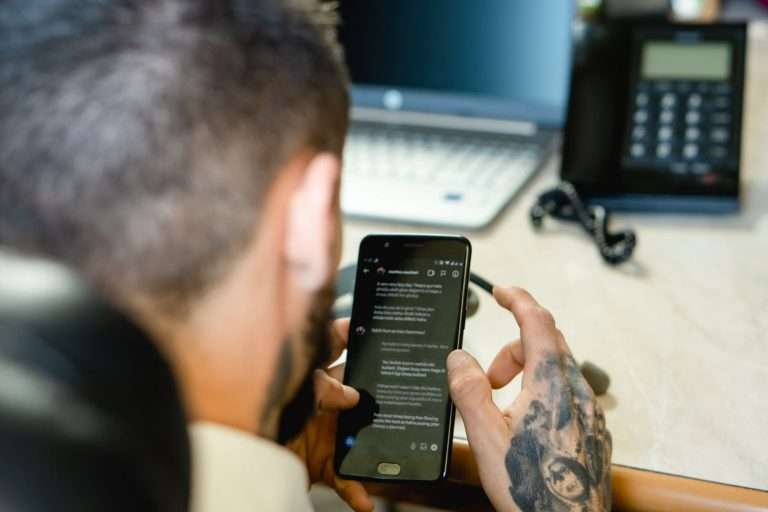
Business calls rarely wait for someone to be sitting at a desk. A field technician is on a roof. A project manager is walking a job site. An account executive is between client meetings. A general manager is covering three locations in one afternoon. Meanwhile, the call that matters most that day is coming in on the main business line.
That gap between where the phone system lives and where the work actually happens is the single most common complaint we hear when a business calls us about replacing an aging voice platform. The desk phone still works. It is just increasingly in the wrong place.
Mobile access is how a modern business phone system closes that gap. Done well, it extends the same extension, the same features, and the same business identity to a laptop, a smartphone, or a tablet without asking employees to learn a parallel set of tools. Done poorly, it becomes one more app nobody opens. This guide covers the difference.
The Desk Phone Is No Longer the Center of the Workday
For most of the history of business telephony, an extension was a physical object. It sat on a desk, it was wired to a specific port, and reaching a person meant reaching that location. The system worked because the assumption underneath it was true: people were at their desks.
That assumption has quietly stopped holding for a large share of the workforce. Construction, property management, healthcare, logistics, public safety, professional services, and nearly every trade now run on staff who spend meaningful portions of the day away from a fixed location. Even in businesses that consider themselves fully on-site, people step into warehouses, walk to other buildings, and take lunch.
The important point is that this is not strictly a remote-work question. A business can have zero remote employees and still lose calls every day because the person who needed to answer was forty feet from their handset. Mobility in a phone system is about reachability, not about work-from-home policy.
A cloud-based platform changes the underlying model. The extension becomes an identity that lives in the system rather than a wire that terminates at a desk. Any authorized device can present that identity. The desk phone becomes one endpoint among several rather than the only one.
Keeping Business Calls Off Personal Numbers
Ask a business owner how mobile staff currently handle calls and you will usually hear some version of the same workaround: calls forward to a cell phone, or employees simply hand out their personal mobile number.
It works, in the narrow sense that the call connects. Everything around it breaks.
Why the personal-number workaround fails
- Outbound calls expose the wrong number. The customer sees a personal cell, saves it, and calls it directly from then on. The business has effectively lost that relationship to an individual handset.
- Nothing is recorded, logged, or reportable. Call volume, response times, and missed-call data disappear for exactly the employees who talk to customers most.
- Coverage collapses when someone leaves. When an employee resigns, the number goes with them. Customers keep calling it.
- There is no off switch. Staff cannot separate work from personal time, which is a real retention problem and, in some roles, a wage-and-hour problem.
- Compliance gets complicated. Industries with recording, retention, or privacy obligations cannot meet them on a device the business does not control.
A properly configured mobile client solves all of this in one step. The employee uses their own phone, but calls placed and received through the business application carry the company number, route through the business system, appear in reporting, and stop when the account is disabled. The personal number stays personal.
One Application Instead of Five
Mobility is not only about answering a ringing phone. Over a normal day, the same employee may need to check voicemail, send a text to a customer, join a conference bridge, look up an internal extension, transfer a call to a colleague, and see whether a teammate is available.
When each of those functions lives in a different place — voicemail on the handset, texting on a personal phone, conferencing in a separate meeting tool, the directory in a spreadsheet — the friction adds up. People fall back on whatever is fastest, which is usually the untracked personal channel.
A unified client pulls those functions into a single application that behaves the same way on a desktop and a phone. Voice, business SMS, voicemail with transcription, conferencing, internal messaging, presence, and the company directory sit together. The practical benefit is not that any one feature is revolutionary. It is that employees stop making a decision about which tool to open, and the business stops losing visibility every time they choose wrong.
Who Actually Benefits
Mobile access pays off unevenly across an organization. It is worth identifying who genuinely needs it rather than deploying it to every seat by default.
- Field and service teams. Technicians, installers, drivers, and inspectors who are dispatched to customer sites and need to reach dispatch, take customer callbacks, and document work from the field.
- Multi-site managers. Anyone responsible for more than one location and therefore never reliably at any of them.
- Outside sales. Staff whose job is to be somewhere else, and whose outbound caller ID directly affects answer rates.
- On-call and after-hours coverage. Rotations are far easier to administer when on-call routing is a setting in the system rather than a manually updated forwarding rule.
- Executives and owners. The people most likely to need to take an important call from anywhere, and least likely to tolerate a clumsy interface.
Back-office staff who sit at the same desk every day may be perfectly served by a desk phone and a desktop softphone. There is no reason to pay for capability nobody uses.
What Good Mobile Access Looks Like
Most business phone platforms will claim a mobile app. The differences show up in daily use. These are the criteria worth testing during an evaluation, ideally with the employees who will actually rely on it.
Call continuity and device handoff
Can a call that started on a desk phone move to a mobile device, and back, without the caller noticing? Can an employee ring multiple devices at once and answer on whichever is closest? Handoff is the feature people say they do not need and then use constantly.
Feature parity, not just dial tone
Placing a call is table stakes. Check whether the mobile client also supports warm transfer, call park and retrieve, access to shared voicemail boxes, business texting, conference control, and the full internal directory. A mobile app that can only dial forces people back to the desk for anything complicated.
Network reality
Mobile access is only as good as the connection underneath it. An application on a cellular network in a parking garage will not sound like a handset on a dedicated circuit, and no vendor can change that. What a good platform can do is handle degradation gracefully — adaptive codecs, jitter buffering, clean failover between Wi-Fi and cellular, and honest call-quality diagnostics when something goes wrong.
This is also where the office side matters more than most buyers expect. If the building’s internet connection is oversubscribed, shared with guest Wi-Fi, or delivered over a best-effort consumer-grade circuit, voice quality suffers for everyone regardless of which application they are using.
Administration and offboarding
Adding a user, changing a ring group, or shutting off access for a departing employee should take a minute in a browser. If routine changes require a support ticket or a site visit, the system will quietly drift out of date.
Emergency calling and location
Emergency services routing on mobile and softphone clients requires attention. Dispatchable location information must be configured and kept current for every user, and employees should know how the system handles an emergency call placed away from the office. This is a regulatory obligation, not an optional feature, and it is one of the first things a competent provider will walk through with you.
The Connectivity Layer Underneath
It is worth stating plainly: a cloud phone system is an internet application. Its reliability is bounded by the reliability of the network carrying it.
That is why we treat voice and connectivity as one design problem rather than two purchases. A hosted platform delivered over a dedicated fiber circuit with prioritized voice traffic behaves very differently from the same platform riding an unmanaged shared connection. For sites where fiber is not available or the timeline is too long, licensed fixed wireless can deliver comparable, symmetrical, business-grade service. For sites that cannot tolerate an outage at all, a secondary path with automatic failover — and call routing that follows it — turns an outage into an inconvenience instead of a closed business.
How Cytranet Approaches Mobility
Cytranet is a licensed Nevada telecommunications carrier serving businesses, nonprofits, and government and military customers across Nevada, Arizona, California, and the broader Southwest. We work exclusively with business and institutional customers, which shapes how we design these systems.
A typical mobility engagement with us covers four things together:
- The platform. Hosted PBX and UCaaS with desktop and mobile clients, SIP trunking where an existing on-premises system is staying in place, and call flows built around how the organization actually operates.
- The connection. Dedicated fiber internet or licensed fixed wireless sized for the site, with a documented plan for redundancy where it is warranted.
- In-building coverage. Managed Wi-Fi designed for voice, because a mobile client is useless in a warehouse with no signal past the first bay.
- The edge cases. For operations where a phone is the wrong tool — warehouse floors, event operations, security teams, maintenance crews — professional two-way radio systems, dispatch software, and GPS tracking cover ground that cellular and softphone clients cannot.
“The mistake we see most often is treating mobility as an app decision,” said Doug Roberts, Chief Technology Officer of Cytranet. “Someone buys a phone platform with a mobile client, deploys it over whatever internet the building already had, and then wonders why calls drop in the parking lot and sound thin in the warehouse. Mobility is a network design problem first and a software problem second. Get the circuit, the Wi-Fi, and the call routing right, and the application takes care of itself.”
Frequently Asked Questions
Will employees have to give out their personal cell phone number?
No. Calls placed through the business mobile client present the company’s caller ID. The employee’s personal number is never exposed to the customer, and it is not tied to the business system in any way.
Can we keep our desk phones?
Yes, and most businesses should. Mobile access is additive. Desk phones remain the right endpoint for reception, shared workspaces, conference rooms, warehouses, and anyone who works from the same seat all day. The two coexist on the same extension.
Do we have to port our existing phone numbers?
Existing numbers can be ported to the new platform so customers keep reaching you the way they always have. Porting is scheduled work with a defined cutover window, and it should never be rushed. We map every number, including fax and alarm lines, before anything moves.
What happens if the office internet goes down?
This is one of the practical advantages of a cloud platform. Because the call processing lives in the network rather than in a box in the closet, inbound calls can be automatically rerouted to mobile devices, to another location, or to an answering service while the primary circuit is restored. With a properly designed secondary path, most businesses never go fully dark.
How is call quality on a cell connection?
Generally very good on modern networks, and it degrades predictably rather than catastrophically. Quality depends on signal strength and network congestion at that moment, which is outside any provider’s control. Where consistent quality matters most — a front desk, a dispatch position, a contact center seat — a wired endpoint on a managed circuit remains the right answer.
How long does deployment usually take?
It depends almost entirely on whether new connectivity is part of the project. Moving an existing site to a hosted platform with adequate internet already in place is typically a matter of weeks. If a new fiber circuit or a wireless installation is involved, the circuit delivery timeline drives the schedule. We give a realistic date at the start rather than an optimistic one.
Talk to Cytranet About Extending Your Phone System
If your team is forwarding calls to personal cell phones, losing customer calls when people step away from their desks, or running a phone system that predates the way your business now operates, it is worth a conversation. We will look at your current call flows, your existing connectivity, and how your people actually work before recommending anything.
Call Cytranet at 702-846-5000 or email info@cytranet.com to schedule a review of your business communications.
Talk to Cytranet
A business-only carrier for fiber internet, cloud voice, managed Wi-Fi, and managed IT. Start with a free technology evaluation.