Walk into a middle school classroom at nine in the morning and count the radios. Thirty student laptops or tablets, a teacher laptop, a projector or display, a document camera, perhaps a few phones that were supposed to stay in backpacks. Multiply that by every room in the building, add a library, a gym hosting an assembly and a front office, and you have one of the most demanding wireless environments anywhere.
That is the reality Doug Roberts, chief technology officer of Cytranet, wants education leaders to plan around. “The mistake we see most often is treating school Wi-Fi like office Wi-Fi with more rooms,” he said. “An office might have one or two devices per person spread across a floor. A classroom concentrates dozens of devices in a small space, and they all wake up and start working at the same moment when the bell rings.”
Coverage is not the same as capacity
For years, wireless planning centered on coverage: can a signal reach every corner of the building? That question still matters, but it is no longer the hard one. An access point in a hallway may deliver a strong signal to four classrooms and still fail every one of them, because it can only serve so many devices at a time before performance falls apart.
Wi-Fi is a shared medium. Devices on the same channel take turns talking, so the more devices crowd onto one access point, the more each one waits. When a teacher asks everyone to open a video or submit an online quiz at once, the network sees a sudden surge from every seat. A design that looked fine on a coverage map can buckle under that kind of synchronized demand.
“Capacity planning starts with a simple question: how many devices will be in this room at the busiest moment of the day, and what will they be doing?” Roberts said. “Once you answer that honestly, the design changes. You usually end up with an access point in each classroom, lower transmit power, smarter channel planning and a lot less interference between neighbors.”
Libraries and campuses bring their own patterns
Public libraries face a different version of the same challenge. Usage is unpredictable, patrons bring every kind of device imaginable, and many visitors depend on the library as their primary way to get online for job applications, schoolwork or government services. Study rooms, computer labs and community meeting spaces can fill up without warning.
College and training campuses add scale and movement. Students walk between buildings expecting their sessions to stay connected, lecture halls can hold hundreds of people, and residence or common areas stay busy late into the night. Outdoor quads, athletic facilities and parking areas often need coverage too.
Each of these environments needs guest access kept separate from staff and administrative systems. Roberts points to segmentation as a baseline requirement. “Students, staff, guests and building systems should never share the same network space,” he said. “Separating them protects sensitive records, keeps a misbehaving device from dragging everyone down and makes content filtering and reporting far easier.”
What a well-designed education network includes
Good outcomes tend to come from the same handful of decisions made early:
- A predictive and on-site wireless survey based on real room occupancy, not just square footage
- Access point placement sized for peak concurrent devices, with channel and power planning to limit overlap
- Separate networks for students, staff, guests and building systems, each with its own policies
- Switching and uplinks with enough headroom so the wired side never becomes the bottleneck
- An internet connection sized for simultaneous cloud-based testing, video and learning platforms
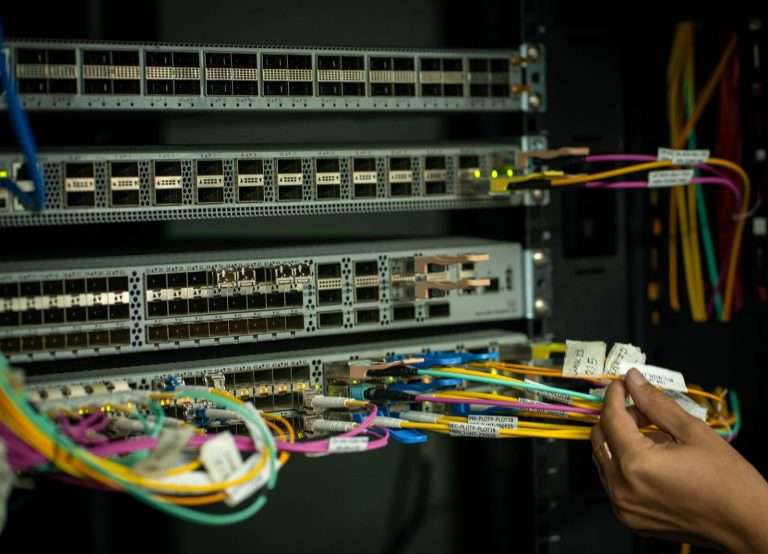
The wired side deserves more attention than it usually gets. Every access point connects back through cabling and switches, and modern access points need power over that cable as well as data. Older runs may not support the speeds newer equipment can deliver. Cytranet’s structured and ethernet cabling work is often part of a wireless project for exactly that reason.
Upstream bandwidth matters too. Districts and campuses that move testing, curriculum and administrative tools into the cloud need a dependable path to the internet. Dedicated fiber internet is a common choice for larger sites, while fixed wireless can connect buildings where running new fiber would take too long.
Why managed service fits education
School IT teams are often small and stretched across devices, classroom technology, security cameras, phones and help desk requests. A wireless network that needs constant tuning can quietly consume their week. That is where a managed Wi-Fi model helps: the provider designs the network, monitors it around the clock, pushes firmware updates, and adjusts settings as usage changes.
“Education networks change every semester,” Roberts said. “Enrollment shifts, a new testing platform arrives, a building gets renovated, a library adds a maker space. Managed Wi-Fi means someone is watching the data and adjusting before teachers notice a problem, and there is a support team available around the clock when something does go wrong.”
Cytranet has written about how the same principles apply to other crowded spaces in its look at managed Wi-Fi for venues, hospitals, hotels and multi-dwelling properties. Education shares many of those traits, with the added weight of student safety and instructional time on the line.
Planning for the next few years
Newer Wi-Fi generations bring more efficient ways for access points to serve many devices at once, along with additional spectrum in some cases. Those improvements help most when the network around them is ready: current cabling, capable switches, and a design built around realistic device counts. Upgrading access points alone rarely delivers the full benefit.
Roberts encourages leaders to think in terms of a multi-year plan rather than a one-time purchase. “Start with an honest assessment of what you have and how it is used,” he said. “Then build a roadmap that lines up wireless, cabling and internet capacity so each upgrade supports the next one. That approach usually costs less over time and gives teachers and students a network they can simply rely on.”
For districts, libraries and campuses across the Southwest, Cytranet offers design, installation and ongoing management as part of a wider set of business technology services. Organizations that want a second look at their current wireless setup can reach out to the Cytranet team to start the conversation.
Talk to Cytranet
A business-only carrier for fiber internet, cloud voice, managed Wi-Fi, and managed IT. Start with a free technology evaluation.