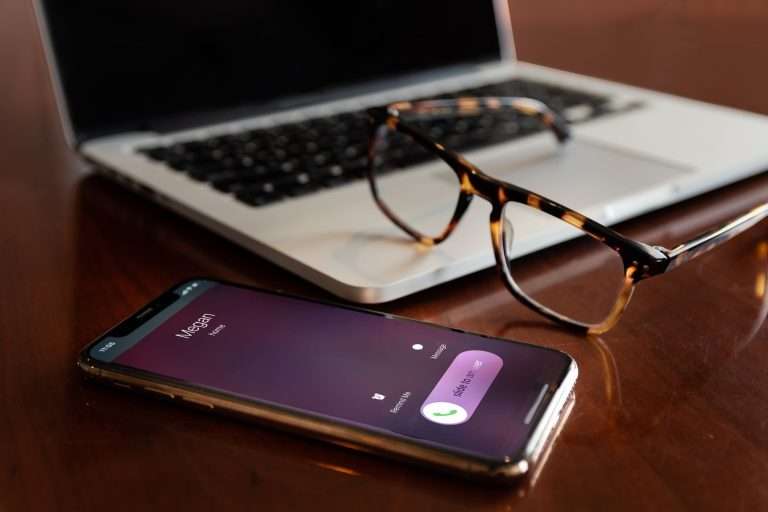

Not long ago, every employee who needed a business line also needed a desk phone, a cable run, and a port on a phone system that lived in a back closet. Today, the phone can live on the laptop, tablet, or smartphone your team already carries. That is the idea behind a softphone, and it has quietly become one of the most practical upgrades a business can make to its communications.
At Cytranet, we deploy cloud voice for businesses, nonprofits, and government organizations every week, and softphones are part of nearly every rollout. This guide explains what a softphone is, how a call actually travels, how it compares with a desk phone, how to set one up step by step, and how to avoid the problems we see most often in the field.
What Is a Softphone?
A softphone is a software application that lets you make and receive business phone calls over the internet from a computer, tablet, or smartphone. Instead of a physical handset, you get a calling interface on your screen: a dial pad, a contact directory, call history, and controls for hold, transfer, conference, and voicemail.
The name simply combines “software” and “telephone.” A softphone is a telephone built from code rather than copper and plastic. It relies on Voice over Internet Protocol (VoIP) to turn your voice into data and carry it across a network, which is why it can go wherever your device goes.
When a softphone is connected to a cloud business phone system, it is not a separate “app number” or a workaround. It is a full extension on your company system. Your direct line, your extension, your voicemail box, and your place in call queues and ring groups all follow you into the app, so a customer who dials your business number reaches you whether you are at your desk, at home, or at a job site.
How Does a Softphone Work?
The mechanics are easier to understand when you follow a single call from start to finish.
Registration: telling the network you are available
When you open a softphone and sign in, the application registers with your provider’s cloud phone platform. That registration tells the system that your extension is online and reachable at this device. If you are signed in on more than one device, the platform can ring all of them at once or follow rules your administrator sets.
Signaling: setting up and ending the call
Most business softphones use Session Initiation Protocol (SIP), the same industry standard used by SIP desk phones and SIP trunks. SIP handles the “handshake”: dialing, ringing, answering, transferring, and hanging up.
Media: carrying your voice
Once a call is connected, your microphone captures your voice, a codec compresses it into small data packets, and those packets travel across the network to the other party, where they are reassembled into sound in a fraction of a second. The same happens in reverse, and on a healthy network modern wideband codecs sound clearer than a traditional phone line.
What you need to get started
- A computer, tablet, or smartphone running a supported operating system
- A stable internet connection with low latency and minimal packet loss
- An account on a cloud phone system that includes softphone access
- Ideally, a headset with a noise-reducing microphone
There is no server rack, no phone closet, and no technician visit required for each new user.
Softphone vs. Desk Phone: What Is the Difference?
Choosing between a softphone and a desk phone is less about which one is “better” and more about matching the endpoint to the way each person works.
| Factor | Softphone | Desk Phone |
|---|---|---|
| Hardware cost | None beyond a headset; runs on existing devices | Purchase or lease of a handset per user |
| Deployment time | Minutes: install and sign in | Shipping, provisioning, and placement |
| Mobility | Works anywhere with a reliable connection | Tied to one physical location |
| Updates | Automatic software updates | Firmware updates; eventual hardware refresh |
| Audio consistency | Excellent, but depends on the device and network | Very consistent on a wired office network |
| Best fit | Remote, hybrid, field, and traveling staff | Reception desks, shared spaces, and high-volume stations |
Desk phones still make sense at a staffed front desk, a nurse station, or a conference room. For people who move between the office, home, and client sites, softphones usually win on flexibility. Most of the organizations we work with use both, a desk phone where a fixed station makes sense and a softphone on every laptop and smartphone, all tied to the same extension. For a deeper look at assigning endpoints by job function, see our guide to matching call endpoints to every role on your team.
Why Businesses Choose Softphones
Lower costs without cutting corners
Because softphones run on devices your team already owns, you avoid buying or leasing a handset for every seat. Many cloud phone plans include softphone access at no additional charge.
A professional identity that protects privacy
Employees can call and text customers from their business number and extension without exposing their personal mobile numbers. Customer relationships also stay with the business when someone changes roles.
Fast, flexible scaling
Adding a user takes minutes: create the extension, send credentials, and the new team member is live.
Built for remote and hybrid work
A softphone does not care whether someone is working downtown, from a home office, or from a hotel. As long as they are connected, they are reachable at the same number with the same features, and customers never notice the difference. Hybrid work is here to stay, and your phone system should reflect that reality.
Which Softphone Features Matter Most?
Every softphone ships with a long feature list. These are the capabilities that change how a team works day to day.
Call handling essentials
- Transfers and forwarding: blind and attended transfers, plus forwarding rules, so callers reach the right person without hanging up and redialing.
- Call recording: automatic or on-demand recording for training, quality assurance, and dispute resolution, configured to respect consent laws.
- Voicemail to email and visual voicemail: read or scan messages instead of dialing in to listen to each one.
- Call queues and ring groups: the ability to log in and out of queues from the app so remote staff can take their share of calls.
Collaboration
Many softphones bring presence indicators, chat, conferencing, and video into the same application, reducing the number of tools your team juggles. Presence alone, seeing whether a colleague is available, on a call, or away, eliminates a surprising amount of phone tag. Our unified communications service brings voice, messaging, and conferencing together in one system for exactly this reason.
Integrations and analytics
Where supported, connecting your phone system to customer relationship management (CRM) and help desk tools can surface a caller’s record on screen before you say hello and log calls automatically. Call analytics show volumes, missed calls, and response times so managers can staff to real demand.
How to Set Up a Softphone, Step by Step
Whether you are setting up one user or rolling out to an entire organization, the process follows the same path.
- Confirm your phone system supports softphones. Make sure your plan includes softphone access for the platforms your team uses, typically Windows and Mac computers plus iOS and Android smartphones.
- Check your network first. Run a voice-quality test that measures latency, jitter, and packet loss, not just download speed. Fix problems before users notice them.
- Install the application. Download the desktop or mobile app from your provider or your device’s app store.
- Sign in. Enter the credentials or login method your administrator provides. Once the app registers, your extension and business number are live on that device.
- Configure audio. Select your headset as both the microphone and the speaker, and set the ringer to play on your computer speakers if you want to hear calls when the headset is off.
- Set your preferences. Record voicemail greetings, confirm forwarding and do-not-disturb rules, and sync your contacts.
- Place test calls. Call a colleague’s extension and an outside mobile number. Test a transfer, a hold, and a voicemail so issues surface before a customer ever hears them.
For larger rollouts, administrators can provision extensions centrally, apply consistent policies, and manage routing from a single web portal. A one-week pilot with a small group is the most reliable way to catch issues before a company-wide launch. If you would rather not manage the process yourself, our team handles provisioning, number porting, and testing as part of every deployment. Learn more about what to expect during a VoIP installation with Cytranet.
What to Look For in a Softphone Solution
Reliability and call quality
Ask about wideband audio support, the provider’s network design, and how calls are handled if your internet connection fails. A dependable platform should be able to route calls to mobile devices or another location automatically during an outage.
Security
Calls carry sensitive information. Ask how signaling and voice traffic are encrypted, how credentials are protected, and what administrative controls exist for disabling a lost device or a departing employee. If a provider cannot explain its security model clearly, keep looking.
Cross-platform consistency
Your team uses different devices. A good solution offers a consistent experience across desktop and mobile, and ideally lets a user move an active call from a laptop to a phone without hanging up.
Emergency calling
Softphones introduce location questions that fixed desk phones do not. Confirm how the system supports E911, how dispatchable location is captured for remote and mobile users, and what employees need to do to keep their location current. Our article on how to test E911 on your business phone system walks through the essentials.
Common Softphone Problems and How to Prevent Them
Choppy audio or dropped calls
This is almost always a network issue. Congested Wi-Fi or a router that treats voice like any other traffic will degrade calls quickly. Enable Quality of Service (QoS) to prioritize voice, consider a dedicated voice VLAN in the office, and encourage home workers to use a wired Ethernet connection for their primary workstation. A professionally managed Wi-Fi network also makes a measurable difference.
Registration failures
If the app cannot register, it cannot ring. Firewalls, VPNs, and certain router features can interfere with SIP traffic. Work with your IT team or provider to allow the required traffic once, and the problem stays solved.
Softphone Frequently Asked Questions
Will a softphone work on public Wi-Fi or while traveling?
Yes, although quality depends on the network. Avoid congested hotspots when possible, use your company’s approved VPN if required, and keep cellular data available as a fallback for important calls.
Can I keep my existing business phone number?
In most cases, yes. Your current numbers can be ported to your new cloud phone system. Keep existing service active until the port completes, then test calls in both directions before canceling anything.
What internet speed do I need?
Each call uses a modest amount of bandwidth. Stability matters more than raw speed: low latency, low jitter, and minimal packet loss are the keys to consistent quality, especially when many calls run at once.
Bring Softphones to Your Team With Cytranet
Cytranet is a Las Vegas-based, licensed telecommunications carrier serving businesses, nonprofits, and government organizations across Nevada, Arizona, California, and nationwide. Our cloud-hosted business VoIP and hosted PBX include more than 100 features, and every user can answer calls on desk phones, mobile apps on smartphones, or softphones on PC and Mac computers, so your number follows your team rather than a building. Plans include unlimited local and long-distance calling, you keep your existing numbers, built-in failover call routing keeps calls flowing during an outage, and voice service can be set up within 48 hours.
Because great call quality starts with the network, we also deliver fiber internet, fixed wireless, internet failover, network security, and managed IT services, all backed by our U.S.-based support team 24 hours a day, 365 days a year. Organizations that want to keep existing phone equipment can connect it through SIP trunking.
Ready to give your team the freedom to work from anywhere without missing a call? Request a free technology evaluation, call 702-846-5000, or email info@cytranet.com.
Talk to Cytranet
A business-only carrier for fiber internet, cloud voice, managed Wi-Fi, and managed IT. Start with a free technology evaluation.