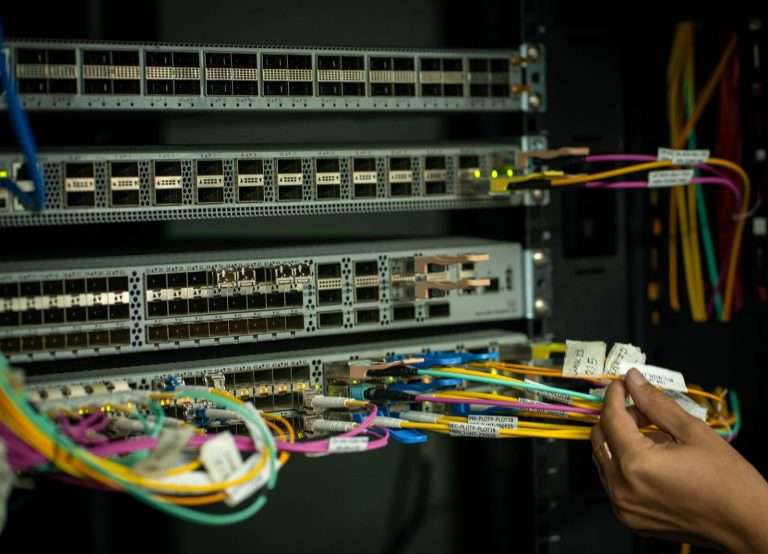
Choosing a business phone system used to be a straightforward decision: you bought a PBX, installed it in a closet, and connected it to phone lines from the local telephone company. Today the choices are broader and the terminology is more confusing. Sales conversations mix together terms like PBX, IP PBX, hosted PBX, cloud PBX, VoIP, UCaaS, and SIP trunking, often as if they were interchangeable. They are not, and understanding the differences is the best way to avoid paying for the wrong system.
This guide from Cytranet explains how each option works, compares them across the factors that matter most to businesses, and offers a practical framework for deciding whether to keep an on-premises system, move fully to the cloud, or take a hybrid path using SIP trunking. As a carrier that delivers both hosted VoIP and SIP trunking, Cytranet works with businesses on every side of this decision, and we have seen what makes each approach succeed.
Key Takeaways
- PBX describes the system that manages extensions and call routing; VoIP describes the technology that carries voice over an internet connection. Modern systems often use both.
- The main deployment models are traditional on-premises PBX, IP PBX, hosted or cloud PBX, and a hybrid model that connects an existing PBX to the cloud with SIP trunking.
- Hosted PBX typically offers the lowest upfront cost, the easiest scaling, and the strongest support for remote work.
- SIP trunking allows businesses to keep a working PBX while retiring expensive copper lines and PRI circuits.
- Network readiness, failover planning, and security controls determine whether any VoIP deployment succeeds.
Understanding the Terminology
Before comparing options, it helps to define the building blocks clearly.
- Traditional PBX: A Private Branch Exchange installed on your premises that connects internal extensions and routes outside calls over analog lines or digital PRI circuits from a telephone company.
- IP PBX: An on-premises PBX that uses IP networking and software to route calls. It supports IP desk phones and softphones but still lives in your building and is maintained by your team or a contractor.
- Hosted or cloud PBX: A PBX that runs in the provider’s data centers. The provider maintains the servers, software, and core infrastructure, while your business accesses the service over the internet.
- VoIP: Voice over Internet Protocol, the technology that converts voice into data packets and carries it over an IP network. Hosted PBX, IP PBX, and SIP trunking all rely on VoIP.
- SIP trunking: A service that connects a PBX you already own to the public telephone network over an internet or private data connection, replacing traditional phone lines.
In short, the real question is rarely “PBX or VoIP?” It is “Where should the PBX live, and how should calls reach it?”
How a Traditional PBX Works
A traditional PBX lets a business operate more desk phones than it has outside lines. Employees dial each other by extension, transfer calls internally, and share a pool of external lines. The hardware sits on-site and connects to the telephone company through copper lines or PRI circuits. For decades, this was the standard for offices of every size, and many PBX systems are still running reliably today.
The challenge is that traditional PBX systems depend on infrastructure that is aging. Carriers are retiring copper networks, replacement parts for older systems are harder to find, and adding features such as mobile access or remote work usually requires additional equipment and expense. If you want to understand the difference between traditional phone lines and VoIP in more detail, see our explainer on POTS lines and VoIP.
How VoIP Works
VoIP captures your voice through a desk phone, computer, or mobile app, converts it into digital packets, and sends those packets across your network and internet connection to the provider, which routes the call to its destination. The receiving device converts the packets back into sound. The process happens in fractions of a second, and on a properly designed network, call quality is excellent.
How Much Bandwidth Does VoIP Need?
A common planning guideline is roughly 100 Kbps of bandwidth in each direction per active call, including overhead. That means bandwidth alone is rarely the limiting factor for small and midsize offices. Latency, jitter, and packet loss matter just as much. Before deploying VoIP, a business should:
- Measure upload and download speeds during busy periods, not just after hours.
- Test latency, jitter, and packet loss.
- Configure quality of service so voice traffic gets priority over large downloads and backups.
- Separate voice traffic on its own network segment where possible.
- Plan a backup connection for business-critical phone service.
Comparing the Options Side by Side
| Factor | Traditional PBX | Hosted PBX / Cloud VoIP | Hybrid With SIP Trunking |
|---|---|---|---|
| Where it runs | On your premises | Provider’s data centers | Your PBX on-site, calling via the cloud |
| Upfront cost | High: hardware, installation, licenses | Low: phones or softphones only | Moderate: existing PBX plus gateway or configuration |
| Ongoing cost | Lines, maintenance contracts, IT labor | Predictable monthly per-user pricing | SIP channels plus PBX maintenance |
| Scaling | New lines, cards, and hardware | Add users in a portal | Add channels as needed |
| Remote work | Requires added equipment | Built in with mobile and desktop apps | Depends on PBX capabilities |
| Maintenance | Your team or a contractor | Provider manages the core platform | Shared responsibility |
| Outage behavior | Independent of internet but vulnerable to power and hardware failures | Failover routing to mobile or other sites | Provider can reroute calls if the PBX is unreachable |
Cost and Total Cost of Ownership
A traditional PBX requires a significant upfront investment in servers or cabinets, gateways, desk phones, cabling, licensing, and installation. After purchase, the business pays for phone lines, maintenance contracts, replacement parts, and staff time. Hosted systems replace most of that capital expense with a monthly subscription. A fair comparison looks beyond the monthly price and includes hardware, installation, number porting, internet upgrades, backup connectivity, training, and support over the expected life of the system.
Scalability
Adding a new office to a traditional PBX may require another system or additional circuits. With a hosted PBX, new users, numbers, and locations are added through the same platform, often in minutes. SIP trunking scales by adding channels, which is far simpler than ordering new copper lines.
Features
Both approaches support extensions, transfers, voicemail, caller ID, and auto attendants. Hosted systems typically add capabilities that are expensive or impractical on older equipment. Cytranet’s hosted PBX includes more than 100 features, including call recording, voicemail-to-email, auto attendants, call queues, ring groups, conferencing, and mobile extensions on smartphones, with unlimited local and long-distance calling.
Security
A traditional PBX is less exposed to internet-based attacks but remains vulnerable to toll fraud, unauthorized configuration changes, and physical tampering. VoIP systems face account compromise, denial-of-service attempts, and fraud risks. Strong administrator passwords, multi-factor authentication, role-based permissions, encryption, network segmentation, fraud monitoring, and timely updates reduce these risks significantly. We cover this in more depth in our guide to VoIP security.
Reliability and Failover
A traditional PBX keeps working during an internet outage but stops when power fails or hardware breaks. A hosted system keeps running in the provider’s redundant data centers even when your office is offline, and calls can be routed automatically to mobile apps, other locations, or voicemail. Cytranet builds failover call routing into its hosted voice service. For the strongest resilience, pair your phones with a diverse backup connection and battery backup for network equipment.
Choosing the Right Deployment Model
When Keeping an On-Premises PBX Makes Sense
An on-premises PBX may still be the right answer for a business that:
- Owns reliable, supported equipment with years of useful life remaining.
- Has dedicated telecom expertise on staff or under contract.
- Requires local control for regulatory or operational reasons.
- Operates in a location with limited internet options.
Even then, the lines feeding that PBX can often be modernized. Our article on keeping a legacy PBX running with Cytranet trunking explains how.
When a Hosted or Cloud PBX Is the Better Fit
A hosted PBX generally suits businesses that need fast deployment, support for remote and hybrid staff, multiple locations under one system, centralized administration, predictable monthly billing, and a provider that handles the underlying maintenance. Cytranet’s voice service can typically be activated within 48 hours, and you keep your existing phone numbers. For a detailed look at migrating from older equipment, see legacy on-premises PBX vs. cloud phone systems.
When a Hybrid SIP Trunking Approach Works Best
SIP trunking connects an existing IP PBX to the telephone network through a VoIP provider. It is an excellent fit for organizations that have invested in a capable PBX, want to migrate in phases, need to keep existing desk phones, or want to eliminate expensive PRI circuits and copper lines now while planning a cloud move later. SIP trunking works with most standards-based IP PBX platforms, and a well-designed service can reroute calls automatically if the on-site PBX goes offline. When comparing SIP trunking options, look for clear channel and usage pricing, compatibility with your PBX, number porting support, failover, and responsive technical support.
A Practical Setup Checklist
- Inventory your current system: numbers, users, extensions, devices, call flows, circuits, and locations.
- Choose your deployment model: on-premises, hosted, or hybrid.
- Assess your network: bandwidth, latency, jitter, packet loss, and quality of service.
- Select devices: desk phones, softphones, mobile apps, or a combination.
- Plan number porting: confirm account details, authorized contacts, and timelines.
- Design call flows: main number, auto attendant, business hours, queues, and ring groups.
- Configure emergency calling: accurate dispatchable locations for every device. See our guide to testing E911.
- Apply security controls: passwords, permissions, multi-factor authentication, and fraud protection.
- Test thoroughly: inbound, outbound, transfers, recording, conferencing, and failover.
- Train employees and monitor quality, usage, and billing closely during the first weeks.
Frequently Asked Questions
Is VoIP call quality as good as a traditional phone line?
On a properly configured business network with adequate bandwidth and quality of service, VoIP call quality is typically as clear as, or clearer than, a traditional line, particularly with HD voice-capable devices.
Can we keep our existing desk phones?
Often, yes. Many IP desk phones can be reprovisioned for a hosted system, and SIP trunking lets you keep your PBX and phones entirely. An assessment of your equipment will confirm compatibility.
What is the easiest business phone system to set up?
A hosted PBX is usually the simplest, because the provider manages the core infrastructure and can preconfigure devices. Network checks, call flow design, and training are still important steps.
How do we decide between hosted PBX and SIP trunking?
If your PBX is aging or you want to eliminate on-site maintenance, a hosted PBX is usually the better choice. If your PBX is modern and well supported, SIP trunking lets you capture cost savings now and move to the cloud on your own timeline.
Talk to Cytranet About Your Phone System
There is no single right answer for every business, but there is a right answer for yours. It depends on your existing equipment, your locations, your growth plans, and how much downtime your operation can tolerate. Cytranet is a business-only telecommunications carrier based in Las Vegas, serving more than 1,000 organizations across Nevada, Arizona, California, and the broader Southwest with hosted business VoIP, SIP trunking, unified communications, fiber and fixed wireless internet, and managed IT services. We would be glad to review your current system and give you a candid recommendation. Call Cytranet at 702-846-5000, email info@cytranet.com, or contact us online.
Talk to Cytranet
A business-only carrier for fiber internet, cloud voice, managed Wi-Fi, and managed IT. Start with a free technology evaluation.